
| Advertise

Drive more leads with less effort
Best practices for your next campaign. Bookmark this page.
- Step 1 Select your objective
- Step 2 Target your audience
- Step 3 Set your budget
- Step 4 Create your ads
- Step 5 Measure success
Choose the right campaign objective so LinkedIn Ads can optimize towards the results you want
Choose Lead Generation to collect high-quality leads directly on LinkedIn with LinkedIn Lead Gen Forms.

LinkedIn Lead Gen Forms are pre-filled forms and can help to increase conversion rate by 5x.
Choose Website Conversions to drive valuable actions on your website, such as:
● Filling a form
● Requesting a demo
● Downloading a report
● Making a purchase
Avoid hypertargeting for better results
Use no more than 2-3 targeting parameters to define your audience. Hypertargeting limits your reach and hurts results. We recommend starting with Job Title, Job Function, Company, or Industry.
Increase reach with Audience Expansion
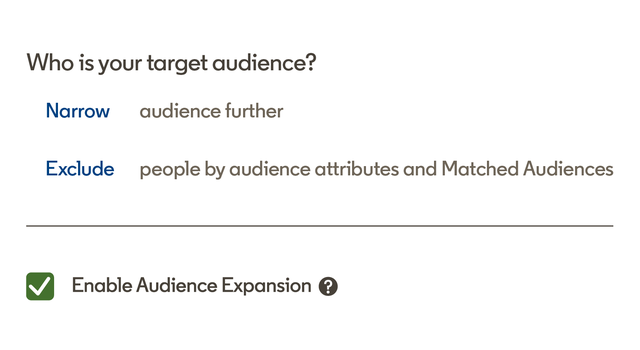
Audience Expansion shows your ads to people who are outside of, but similar to, your target audience. This is enabled by default to help maximize your reach. If you only want to reach your target audience, disable this feature in the ‘Audience’ section of your campaign setup.
Build an AI-powered audience
that’s most likely to convert
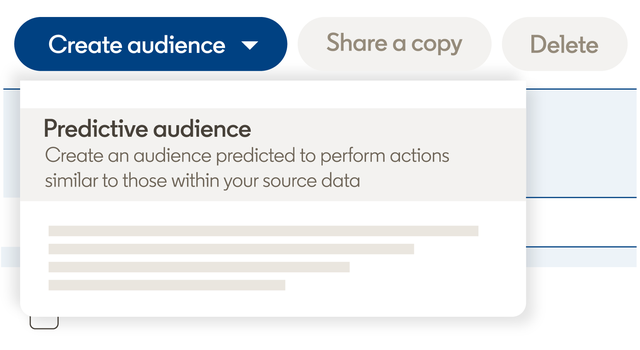
Create a predictive audience of people who are most likely to become your customers. This combines LinkedIn’s AI capabilities and your own data sources (such as contact lists, conversion data, or Lead Gen Form prospects) to create a custom audience for your campaign.
Use retargeting to drive strong results
at a lower cost
Your website visitors are showing already interest in your brand or offering. Use retargeting campaigns to nurture them towards conversion at a lower cost per result.
Discover other retargeting scenarios where you can turn prospects into leads or conversions at a lower cost per result. These include people who have engaged with your ads.
Budget US$100 a day for 4 weeks
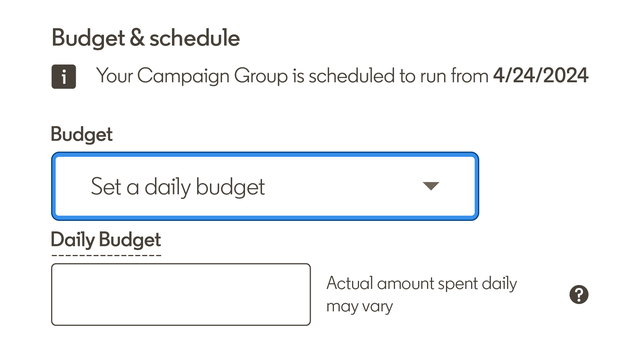
New campaigns enter a learning phase where the algorithm learns to optimize your ads for better results. To ensure your campaign has enough time and scale to produce good results, we recommend:
● Daily budget: US$100
● Duration: Minimum 4 weeks
You can also set a Lifetime Budget so that you don’t go over your total budget limit.
Use ‘Maximum Delivery’ bidding strategy
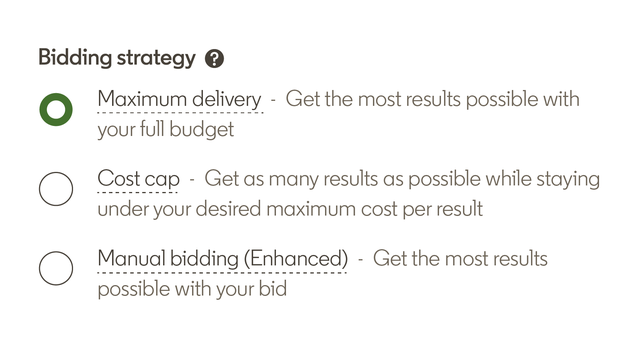
Select ‘Maximum Delivery’ as your bidding strategy. This is an effective bid strategy that tells LinkedIn Ads to automatically set and adjust your bid to get the most results from your budget. Seasoned LinkedIn advertisers who want more control over your cost per result, select ‘Cost Cap’ or ‘Manual Bidding’.
5 ways to optimize your ad creatives and copy

Create 3-5 ads with different copy, visuals, or both.
LinkedIn Ads will optimize and show the best-performing variant to your audience for optimal results.

Get higher LinkedIn Lead Gen Form completion rate by using no more than 3-4 fields.
If you have high form opens but low lead volume, consider reducing the number of fields or revising the copy in your form.

Show what makes your business unique in your ads.
A good way of communicating value is by showcasing how customers are benefiting from your solutions through success stories or case studies.

Keep your ad copy short and sweet.
Stay close to the recommended copy length and ad specs in the LinkedIn Ads Guide.

Use an engaging visual with a clear call-to-action.
Visit the LinkedIn Ad Library to get inspiration from other advertisers.
Before launching your campaign:
Install the free LinkedIn Insight Tag
Once installed, LinkedIn Insight Tag helps unlock additional insights about your website visitors. With Insight Tag, you’ll be able to retarget website visitors to drive better results and track conversions from your campaign.
Enable Conversion Tracking
In your campaign setup, enable Conversion Tracking to measure impact and maximize performance based on how your audience interacts with your ads. This can help you improve ROI across the customer journey.
During and after your campaign:
Focus on the metrics that matter
Evaluate your campaign by using metrics associated with your selected campaign objective:
Lead generation metrics
● Number of leads
● Lead form opens
● Lead form completion rate
● Cost per lead
Website conversion metrics
● Number of conversions
● Conversion rate
● Cost per conversion
Monitor current campaign performance and compare results to similar past campaigns to inform in-flight adjustments.
Track buyer actions on your website
Track Website Actions to enhance performance. Enabled by the LinkedIn Insight Tag, Website Actions gives you insights to set up new conversions and build more retargeting audiences.
Get personalized, data-driven recommendations
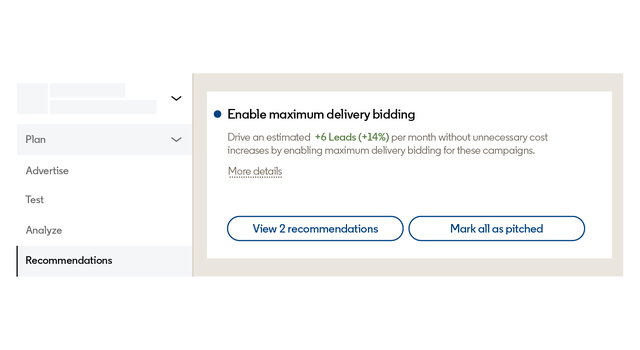
Improve your campaign performance and ROI from personalized, data-driven recommendations. You can find them in Campaign Manager’s Recommendations Hub. To access recommendations, sign in to Campaign Manager, then click Recommendations from the left navigation.
Find out how businesses like yours are succeeding with LinkedIn Ads





Maximize the impact of your next LinkedIn Ads campaign


